Crafting an Intelligent Conference Assistant with .NET's Modular AI Toolkit
Overview
Building AI-powered features into a .NET application traditionally requires piecing together disparate tools—models, vector databases, data ingestion pipelines, and agent frameworks—each with its own patterns, client libraries, and versioning headaches. Our team set out to create a stable, composable set of building blocks that abstract away these complexities. To demonstrate their potential, we built ConferencePulse, a fully functional conference assistant used during a live session at MVP Summit. This article walks through the app’s architecture and shows how each component fits together.
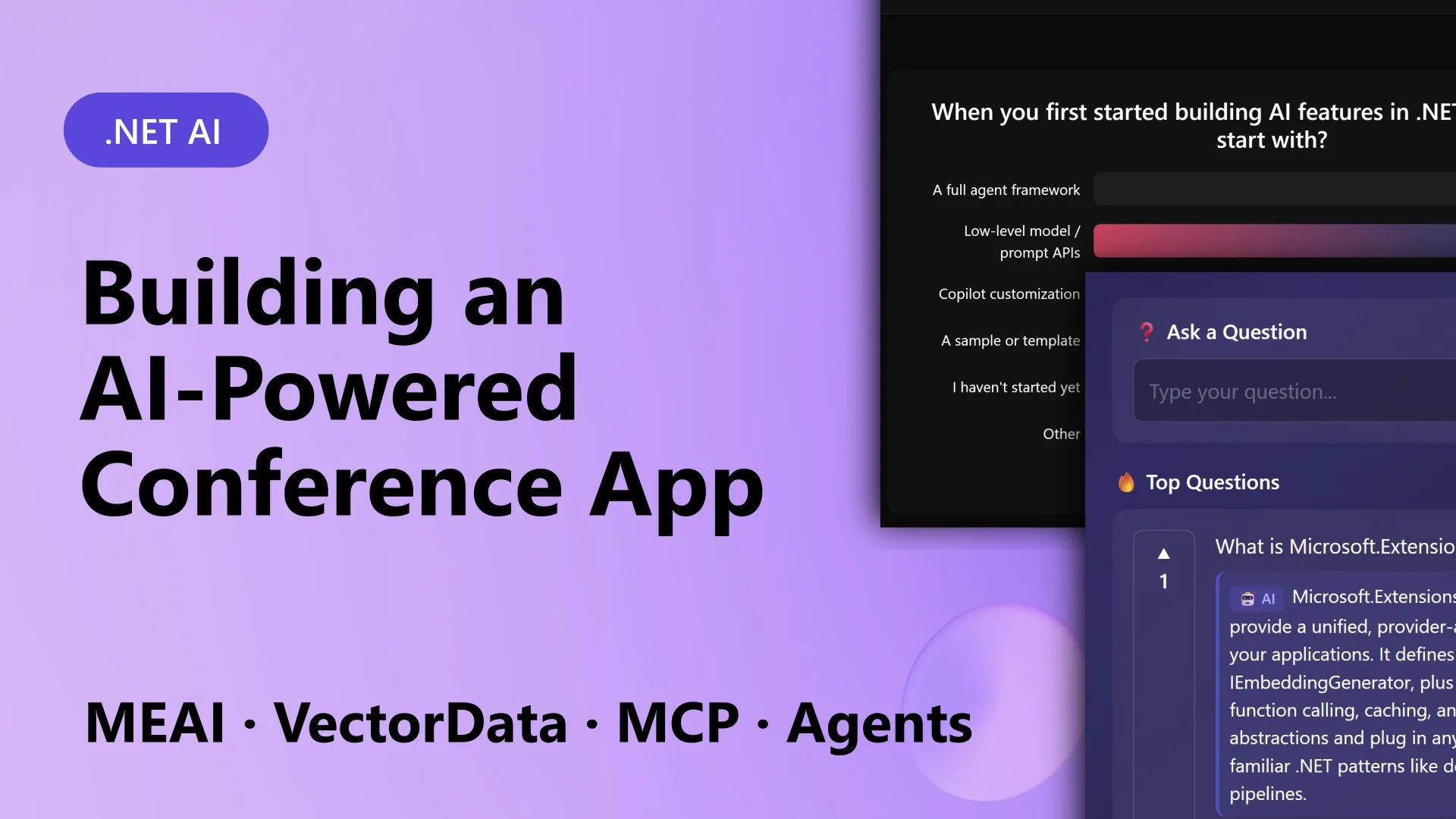
What ConferencePulse Does
ConferencePulse is a Blazor Server application designed for live conference sessions. Attendees scan a QR code to join, then interact with the presenter through polls and Q&A. Behind the scenes, AI powers these features:
- Live Polls – AI generates poll questions based on the session’s content. Attendees vote, and results update in real time.
- Audience Q&A – A RAG (Retrieval-Augmented Generation) pipeline answers questions by pulling from a knowledge base built from the session’s GitHub repository, Microsoft Learn docs, and wiki content.
- Auto-Generated Insights – The system surfaces patterns from poll results and audience questions as they arrive.
- Session Summary – When the presenter ends the session, multiple AI agents concurrently analyze polls, questions, and insights, then merge their findings into a cohesive wrap-up.
The goal was an interactive, slide-free experience. Preparation was automated: point the app at a GitHub repo, and it downloads markdown files, processes them through a pipeline, and builds a searchable vector database. All polls, talking points, and Q&A responses are grounded in that content.
Technology Stack
The app runs on .NET 10, Blazor Server, and .NET Aspire. Five projects comprise the solution:
src/
├── ConferenceAssistant.Web/          ← Blazor Server (UI + orchestration)
├── ConferenceAssistant.Core/         ← Models, interfaces, session state
├── ConferenceAssistant.Ingestion/    ← Data ingestion pipeline + vector search
├── ConferenceAssistant.Agents/       ← AI agents, workflows, tools
├── ConferenceAssistant.Mcp/          ← MCP server tools + MCP client
└── ConferenceAssistant.AppHost/      ← .NET Aspire (Qdrant, PostgreSQL, Azure OpenAI)
Key Building Blocks
Microsoft.Extensions.AI: One Interface, Any Provider
Microsoft.Extensions.AI provides a unified abstraction (IChatClient) that works with OpenAI, Azure OpenAI, Ollama, Foundry Local, and more. Every AI call in ConferencePulse—poll generation, Q&A responses, insight extraction—goes through this single interface. Swapping providers requires changing only configuration, not code. This abstraction also handles streaming, cancellation, and batching, reducing boilerplate across the entire app.
Microsoft.Extensions.DataIngestion: Pipeline-Driven Knowledge Base
Microsoft.Extensions.DataIngestion builds a data ingestion pipeline that transforms raw markdown from the session’s GitHub repo into embeddings stored in a vector database. The pipeline handles chunking, embedding, and indexing. ConferencePulse uses this to automatically create a searchable knowledge base before the session begins. Rerunning the pipeline is as simple as pointing to an updated repository.

Microsoft.Extensions.VectorData: Semantic Search at Scale
Microsoft.Extensions.VectorData offers a consistent API over vector stores like Qdrant, Azure Cognitive Search, or PostgreSQL. In ConferencePulse, the RAG pipeline queries this service to find the most relevant context for each audience question. The abstraction supports filtering, hybrid search, and metadata—enabling precise retrieval without vendor lock-in.
Model Context Protocol (MCP): Standardized Tool Use
Model Context Protocol (MCP) is an open standard for connecting AI models to external tools. ConferencePulse includes an MCP server that exposes session data (polls, questions, attendee metadata) as tools. The ConferenceAssistant.Mcp project implements both the server and client, allowing AI agents to access real-time data through a standardized interface. For example, an agent can retrieve live poll results via an MCP tool call, then use that data to generate insights.
Microsoft Agent Framework: Multi-Agent Orchestration
Microsoft Agent Framework enables creating AI agents that cooperate to accomplish tasks. For the session summary, ConferencePulse spawns three agents: one analyzing poll data, one summarizing Q&A threads, and one extracting overall themes. Each agent works independently on its assigned data, then a merge agent combines their outputs into a coherent summary. The framework handles tool binding, state management, and inter-agent communication.
Conclusion
ConferencePulse proves that building AI into .NET applications doesn’t have to be a jigsaw puzzle. With Microsoft.Extensions.AI, DataIngestion, VectorData, MCP, and the Agent Framework, developers get a composable, consistent stack. Each component fits naturally, and the abstractions protect against breaking changes from upstream providers. Whether you’re building a conference assistant, a customer support bot, or an internal knowledge base, these building blocks let you focus on your app’s logic rather than on infrastructure glue.
For a deeper dive, check out the .NET AI samples repository.
Related Articles
- Meta AI Unveils NeuralBench: A Unifying Benchmark to End Chaos in Brain Signal AI Evaluation
- 134,400 Simulations Reveal Which Regularizer to Use: A New Decision Framework for Ridge, Lasso, and ElasticNet
- 2021 Quantization Algorithm Defies Expectations, Outshines 2026 Successor
- Unmasking Front-End Complexity: Why Modern Tools Haven't Simplified Development
- mssql-python Delivers Direct Apache Arrow Support, Slashing Data Fetch Overhead
- The Quiet Superiority of a 2021 Quantization Method Over Its 2026 Counterpart
- New Python-Based Validation Technique Reveals Hidden Risks in Credit Scoring Models
- Constructing a High-Performance Knowledge Base for Artificial Intelligence Systems